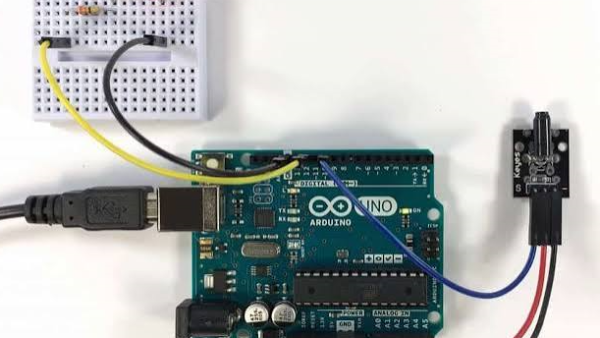
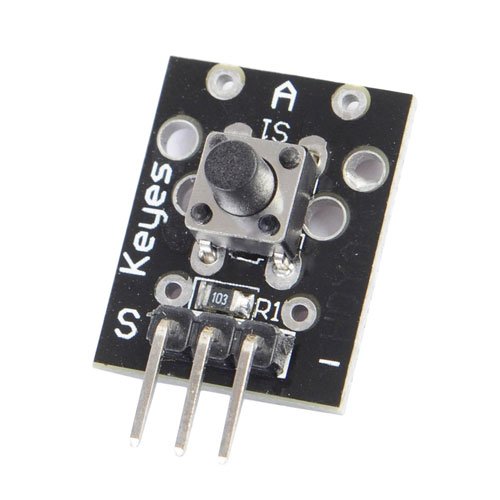
The KY-004 is a tactile push-button module found in 37-in-1 and similar Arduino sensor kits (Keyes, ELEGOO, Sunfounder, and others). It’s a simple key switch module — press the button and the signal pin changes state. This tutorial covers the pinout, wiring diagram, Arduino code (basic and debounced), troubleshooting, and includes a Fritzing part download.
The KY-004 works with Arduino, Raspberry Pi, Raspberry Pi Pico, ESP32, ESP8266 and most other 3.3 V / 5 V microcontrollers. The onboard tactile switch is rated for 100,000 cycles.
Heads-up about variants. Different KY-004 modules in circulation use slightly different resistor wiring on the signal pin:
- Pull-down variant (most common, original Keyes): the signal pin sits LOW at rest and goes HIGH when pressed. Use
pinMode(pin, INPUT). This is what the code below assumes. - Pull-up variant (e.g. Joy-it SensorKit): the signal pin sits HIGH at rest and goes LOW when pressed. Use
pinMode(pin, INPUT_PULLUP)and invert the logic.
KY-004 Specifications
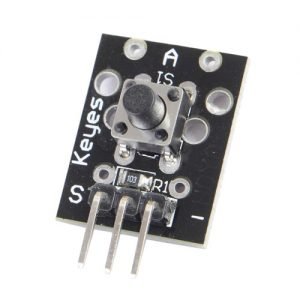
This module consists of a FZ1713 tactile push button, a 10kΩ resistor and 3 male header pins.
| Rating | 50mA 12VC |
| Environment temperature | -25°C to 105°C [ -13°F to 221°F] |
| Durability | 100,000 cycles |
| Operating Force | 180/230(±20gf) |
| Board Dimensions | 18.5mm x 15mm [0.728in x 0.591in] |
KY-004 Pinout
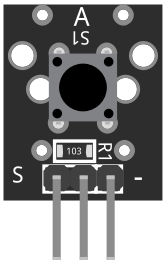
The KY-004 has three 2.54 mm header pins. From left to right on most boards:
| Pin | Label | Function |
|---|---|---|
| 1 | S | Digital signal output |
| 2 | middle (no label) | VCC (3.3 V or 5 V) |
| 3 | – | Ground |
The onboard resistor (typically 10 kΩ) is wired as a pull-down or pull-up depending on the variant — see the intro for details.
Connection Diagram
Connect the module signal pin (S) to pin 3 on the Arduino.
Then connect the board power pin (middle) and ground (-) to +5V and GND on the Arduino respectively.
| KY-004 | Arduino |
|---|---|
| S | Pin 3 |
| middle | +5V |
| – | GND |
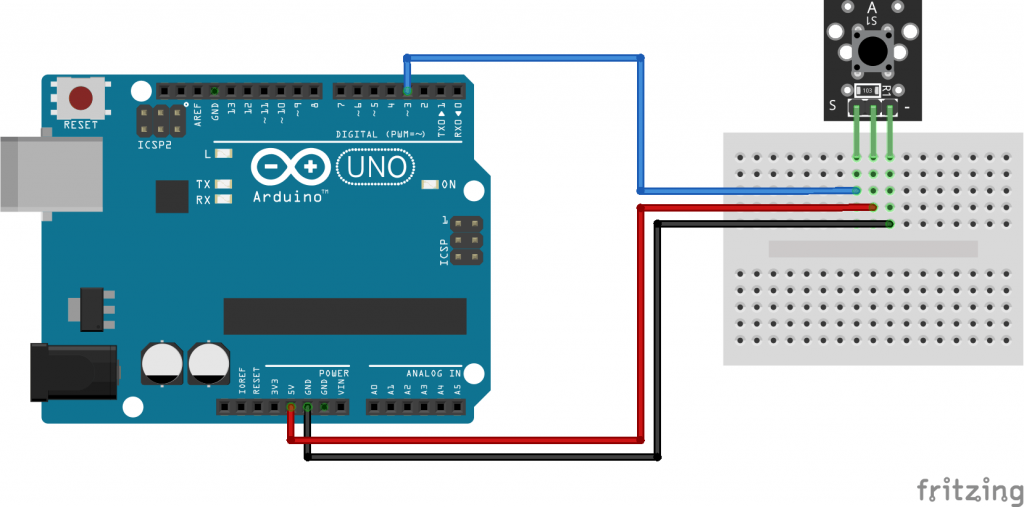
KY-004 Arduino Code
Basic
For the standard pull-down KY-004 (most common): the button reads HIGH when pressed. Use pinMode(pin, INPUT).
int led = 13;
int buttonpin = 3;
int val;

void setup() {
  pinMode(led, OUTPUT);
  pinMode(buttonpin, INPUT);
}

void loop() {
  val = digitalRead(buttonpin);
  if (val == HIGH) {
    digitalWrite(led, HIGH);
  } else {
    digitalWrite(led, LOW);
  }
}Debounced
Mechanical switches bounce for a few milliseconds on press. This version ignores state changes for 50 ms after the first edge.
int led = 13;
int buttonpin = 3;
int buttonState = LOW;
int lastButtonState = LOW;
unsigned long lastDebounceTime = 0;
const unsigned long debounceDelay = 50;

void setup() {
  pinMode(led, OUTPUT);
  pinMode(buttonpin, INPUT);
}

void loop() {
  int reading = digitalRead(buttonpin);
  if (reading != lastButtonState) {
    lastDebounceTime = millis();
  }
  if ((millis() - lastDebounceTime) > debounceDelay) {
    if (reading != buttonState) {
      buttonState = reading;
      digitalWrite(led, buttonState);
    }
  }
  lastButtonState = reading;
}Pull-up variant
For pull-up variant modules (e.g. Joy-it): the button reads LOW when pressed. Use pinMode(pin, INPUT_PULLUP) and invert the logic.
int led = 13;
int buttonpin = 3;
int val;

void setup() {
  pinMode(led, OUTPUT);
  pinMode(buttonpin, INPUT_PULLUP);
}

void loop() {
  val = digitalRead(buttonpin);
  if (val == LOW) {
    digitalWrite(led, HIGH);
  } else {
    digitalWrite(led, LOW);
  }
}If the LED doesn’t respond, check which variant you have — see Heads-up about variants in the intro.
Troubleshooting & FAQ
Does the KY-004 output HIGH or LOW when pressed?
It depends on the variant. The original Keyes pull-down design (most common) keeps the signal pin LOW at rest and drives it HIGH when pressed — use pinMode(pin, INPUT). The pull-up variant (e.g. Joy-it SensorKit) keeps the pin HIGH at rest and pulls it LOW when pressed — use pinMode(pin, INPUT_PULLUP) and invert your logic.
How do I identify which KY-004 variant I have?
Power the module and read the signal pin with no button press. Print the reading over Serial: if it reads LOW at rest, you have the pull-down variant (HIGH when pressed); if it reads HIGH at rest, you have the pull-up variant (LOW when pressed). Boards labelled Joy-it or from some generic kits are often pull-up, but always test first.
The button always reads HIGH or LOW — what is wrong?
Almost always a variant mismatch. Stuck HIGH on a pull-down variant: you are calling pinMode(pin, INPUT_PULLUP) — switch to INPUT. Also check the signal pin is not floating (module powered, S pin connected). Stuck LOW on a pull-up variant: you are calling INPUT instead of INPUT_PULLUP — swap the mode and change your logic so LOW means pressed. INPUT_PULLUP makes no difference: the module has an external pull-down resistor that overpowers the MCU’s internal pull-up — this is the standard pull-down variant, use INPUT.
Multiple presses are registered per tap
This is switch bounce — the tactile button makes and breaks contact several times in the first few milliseconds. Use the debounced sketch in the code section above: record the time of the first edge with millis() and ignore further state changes for ~20–50 ms.
Does the KY-004 work with ESP32, ESP8266, or other 3.3 V boards?
Yes. The KY-004 operates at 3.3–5 V — connect the middle pin to 3.3 V, – to GND, and S to any digital GPIO. If it works on Arduino but not on a 3.3 V board, check that you are powering the module from 3.3 V (not 5 V), and verify the signal pin with a multimeter. The same sketches run without modification.
Intermittent or no response from the button
Loose solder joints on the three header pins and the tactile switch legs are common on budget kits. Resolder all four points. If the problem persists, the tactile switch itself may be faulty — they are standard 6×6 mm DIP tactile switches and easy to replace.
Which sensor kits include the KY-004?
The KY-004 is included in most 37-in-1 Arduino sensor kits, sold under brands including Keyes, ELEGOO, Sunfounder, and various generics. It is usually labelled Key Switch Module or Button Module in the kit documentation.