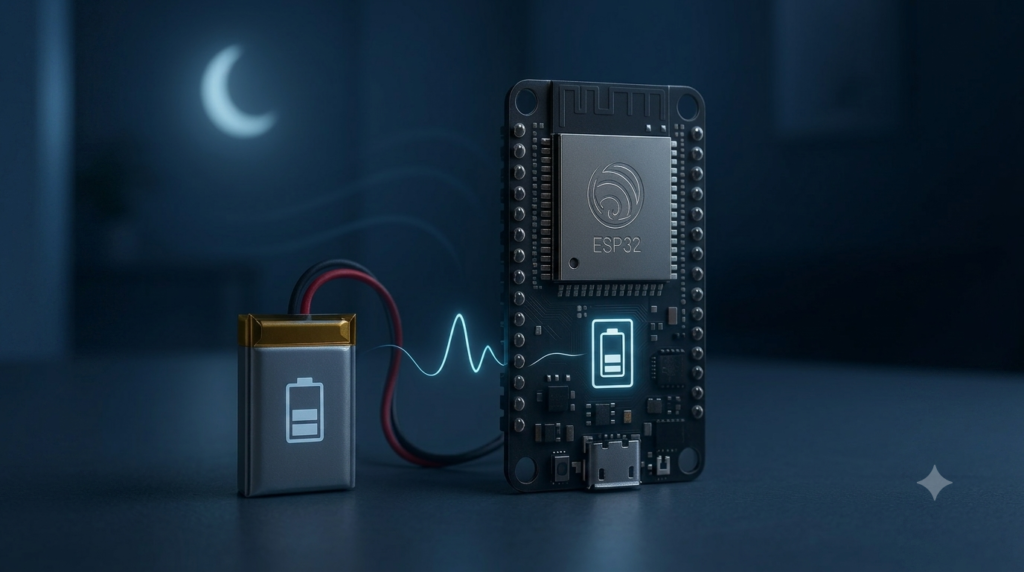
An ESP32 running flat out draws 80–240 mA — an 18650 battery is dead in a day. The same chip in deep sleep sips around 10–150 µA — the same battery lasts months or even years. The trick is to wake up, take a measurement, send it, and go straight back to sleep. In this tutorial you will build a battery-powered temperature sensor that wakes every ten minutes, and you will learn the sleep modes, wake-up sources and power-budget math that make battery projects actually work.
The ESP32 Sleep Menu
The ESP32 has several power states. Modem sleep keeps the CPU running but turns off Wi-Fi (≈20 mA). Light sleep pauses the CPU (≈0.8 mA) and resumes quickly with memory intact. Deep sleep turns off the CPU, Wi-Fi and most RAM — only the RTC controller, RTC memory and a few RTC-capable GPIOs stay alive. Waking from deep sleep is a full reboot: your sketch starts from setup() again, so anything you want to remember must go into RTC memory (RTC_DATA_ATTR) or flash. Because a reboot costs a second or two, the winning pattern is long sleeps with short, efficient wake-ups.
Parts Needed
- ESP32 dev board (a bare module like ESP32-WROOM on a low-quiescent board is best)
- 1× DHT22 sensor with 10 kΩ pull-up (or any I2C sensor)
- 1× 18650 Li-ion cell with protected holder, or a LiPo pack
- USB-to-serial adapter or dev board for programming
- Jumper wires and breadboard
Wiring the Sensor Node
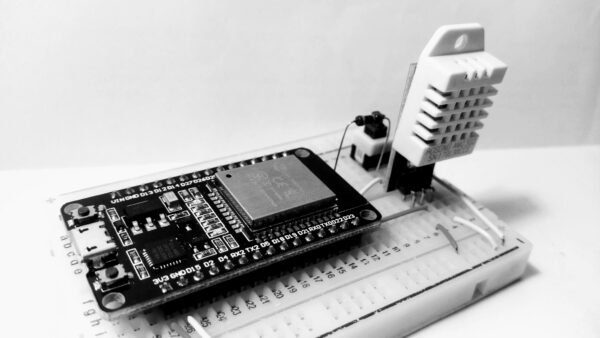
Power the ESP32 through its 3V3 pin from a regulated 3.3 V source (or the dev board’s 5V pin from a buck converter). The DHT22 wiring matches our weather-station tutorial.
| Component | ESP32 | Notes |
|---|---|---|
| Battery 3.3 V regulated | 3V3 + GND | Or 5V pin from an efficient buck converter |
| DHT22 VCC | 3V3 | Or a GPIO you switch HIGH only while measuring |
| DHT22 DATA | GPIO 4 | 10 kΩ pull-up to 3V3 |
| DHT22 GND | GND | — |
The Deep-Sleep Sketch
#include <DHT.h>

#define uS_TO_S 1000000ULL
const int DHT_PIN    = 4;
const uint64_t SLEEP_SECONDS = 600; // Wake every 10 minutes.

RTC_DATA_ATTR int bootCount = 0; // Survives deep sleep.
DHT dht(DHT_PIN, DHT22);

void setup() {
  Serial.begin(115200);
  bootCount++;

  esp_sleep_wakeup_cause_t cause = esp_sleep_get_wakeup_cause();
  Serial.printf("Boot %d, wake cause: %dn", bootCount, cause);

  dht.begin();
  delay(2500); // DHT22 needs ~2 s after power-on.
  float t = dht.readTemperature();
  float h = dht.readHumidity();
  Serial.printf("Temp %.1f C, Humidity %.0f %%n", t, h);
  // TODO: connect Wi-Fi and POST the values here.

  Serial.println("Sleeping...");
  Serial.flush();
  esp_sleep_enable_timer_wakeup(SLEEP_SECONDS * uS_TO_S);
  esp_deep_sleep_start();
}

void loop() {
  // Never runs: deep sleep restarts at setup().
}
Walkthrough
Everything happens in setup(): increment the persistent boot counter, report why we woke (timer, reset button or first power-on), read the sensor, transmit, arm the timer wake-up and sleep. esp_deep_sleep_start() never returns. Other wake sources are one line away: esp_sleep_enable_ext0_wakeup(GPIO_NUM_33, 0) wakes on a button or sensor alarm pin, and combining sources is allowed.
The Power Budget
Do the math before trusting a battery. Say a wake-up takes 5 s at 80 mA average, and sleep draws 100 µA (typical for a dev board with a power-hungry regulator and LED). Per 10-minute cycle: 5 s × 80 mA = 0.111 mAh awake, plus 595 s × 0.1 mA = 0.0165 mAh asleep ≈ 0.128 mAh per cycle, ≈0.77 mAh per hour. A 3000 mAh 18650 lasts roughly 160 days. Remove the power LED, use an efficient regulator (or a bare module), and stretch the interval to 30 minutes, and you are measuring in years. Desoldering the board’s power LED alone often saves more than everything else combined.
Choosing a Wake-Up Source
The timer is only one of three useful triggers. External wake-up (ext0) ties one RTC-capable pin (such as GPIO 33) to a level: a PIR motion sensor, a reed switch on a door, or a rain-gauge tipping bucket can wake the board the instant something happens, letting it sleep for days between events. Touch wake-up uses the ESP32’s capacitive touch pins — wake when a finger approaches, with zero extra components. ULP co-processor wake-up is the expert option: a tiny low-power core keeps watching an analog threshold while the main CPU sleeps, ideal for “wake me when the battery is low”. Start with the timer, add ext0 when you have an event to catch, and reach for the ULP when the datasheet no longer scares you.
Troubleshooting
- Boot loop / constant resets: insufficient battery current — Wi-Fi bursts sag a weak cell below brownout. Use a healthy battery and add 470 µF across the 3V3 rail.
- Values lost between wakes: normal RAM dies in deep sleep — use
RTC_DATA_ATTRor preferences/flash. - Sensor reads NaN after wake: DHT22 needs its 2 s warm-up; shorten it and you get garbage.
- Sleep current is 8 mA, not 100 µA: the dev board’s USB chip and regulator are eating it — measure on a bare module before blaming your code.
Safety Notes
- Lithium cells demand respect: use protected cells or packs, a proper charger (TP4056 modules with protection are fine), and never charge unattended on flammable surfaces.
- Do not short or puncture 18650s; a shorted lithium cell can vent or ignite.
- Respect GPIO strapping pins (0, 2, 12, 15) when wiring wake-up buttons — holding the wrong one at boot stops flashing or booting.
Conclusion
Deep sleep turns the ESP32 from a mains-hungry gadget into a genuine battery product: wake, sense, send, sleep, repeat for a year. Master the power budget and the wake sources here, and every sensor project you have built so far becomes deployable anywhere — garden, greenhouse, or a mailbox on the other side of town.